SFTP, S3, and SSH terminal. One native Mac app.
Browse remote files, manage S3 buckets, and open SSH sessions — all from a single, lightweight SwiftUI app. Free and open source.
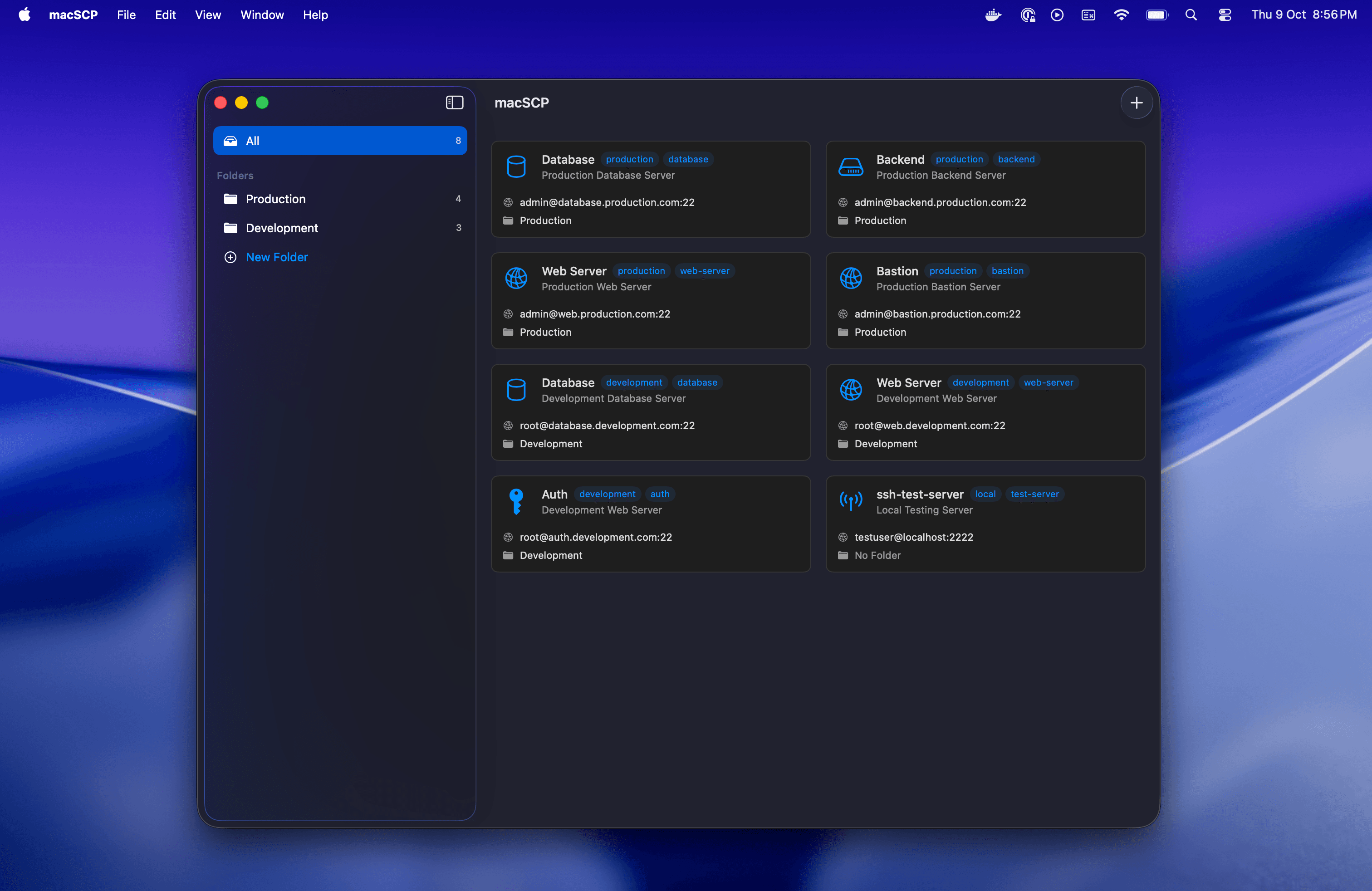
Everything you need, nothing you don't
SFTP File Browser
Browse, upload, download, and manage remote files with a familiar Finder-like interface. Drag-and-drop transfers make it effortless.
S3 Client Built In
Connect to Amazon S3 and compatible object stores. Browse buckets, upload files, and manage objects without switching apps.
Integrated SSH Terminal
Open SSH sessions right inside the app. No need for a separate terminal — manage files and run commands in one place.
Secure by Design
Passwords stored in macOS Keychain. SSH key authentication. All connections encrypted. Your credentials stay safe with native security.
Native macOS Experience
Built entirely with SwiftUI. Dark Mode, multiple windows, keyboard shortcuts — it feels right at home on your Mac.
Edit Files Remotely
Built-in editor with syntax highlighting. Modify remote files directly without the download-edit-reupload dance.
See it in action
Built for developers, sysadmins, and power users
Web Developers
Quickly edit configuration files, check logs, and manage website files on your hosting server. No more FTP hassles.
System Administrators
Manage multiple servers with ease. Organize production, staging, and development environments in custom folders.
DevOps Engineers
Access build servers, update scripts, and monitor deployments. Multiple windows let you work on several servers simultaneously.
Students & Learners
Connect to lab servers, submit assignments, and manage course files with a clean, intuitive interface.
Modern technology, rock-solid foundation
Built with SwiftUI
Native macOS app using Apple's latest UI framework for smooth performance and familiar interactions.
Citadel SSH Library
Industry-standard SSH/SFTP implementation ensuring reliable, secure connections.
SwiftNIO Networking
High-performance, non-blocking I/O for fast file transfers and responsive browsing.
SwiftData Persistence
Modern data management keeps your connections and settings perfectly synchronized.
macOS Keychain
Native integration means your passwords stay secure using Apple's trusted security infrastructure.
Zero Telemetry
No tracking, no analytics, no data collection. Your privacy is absolute.
Why choose macSCP?
| Feature | macSCP | Transmit ($45) | Cyberduck | FileZilla |
|---|---|---|---|---|
| Native macOS (SwiftUI) | ||||
| SFTP browser | ||||
| S3 client | ||||
| SSH terminal | ||||
| Keychain integration | ||||
| Built-in file editor | ||||
| Dark Mode | ||||
| Open source | ||||
| Free |
Stop juggling three apps for one job
SFTP, S3, and SSH in one native Mac app. Free, open source, and ready to download.
Requires macOS 13.0 (Ventura) or later